
Table of Contents
- The $3,200 Mistake That Broke My Workflow
- Why Your Notion Prompt Library is Dead in 2026
- The Definitive Gemini vs DeepSeek Comparison for Developers
- Trend Jacking: How to Use Grok AI Without Hallucinations
- The "Task History" Strategy: True AI Orchestration
- The Math on Saving AI Subscription Fees
- Frequently Asked Questions
- Discussion
The $3,200 Mistake That Broke My Workflow
Last Tuesday, May 26, 2026, I almost lost a major consulting client. I was migrating a massive, messy legacy database for a fintech startup. I had Claude 3.5 Opus open in one monitor, the new GPT-4o May update in another, and a local text editor in the middle. I copied a brilliant, 800-word schema generation output from Claude and pasted it into ChatGPT to write the Python migration script.
It failed spectacularly. The script dropped three critical foreign keys.
Why? Because in my frantic alt-tabbing, I forgot to copy the original system prompt that contained the client's strict compliance rules. I lost four hours debugging a script that was fundamentally flawed from line one. That's when I realized: managing multiple AI models manually isn't making me faster. It's creating a massive "context tax."
If you are a freelancer or solopreneur, you probably feel this pain. You know no single model rules them all anymore. But juggling them across different browser tabs is a recipe for disaster.
Why Your Notion Prompt Library is Dead in 2026
For the past two years, the productivity gurus told us to build massive "prompt libraries." I had a beautifully color-coded Notion database. But here's the reality: prompts don't exist in a vacuum. A prompt that works brilliantly in Claude completely misfires in Gemini.
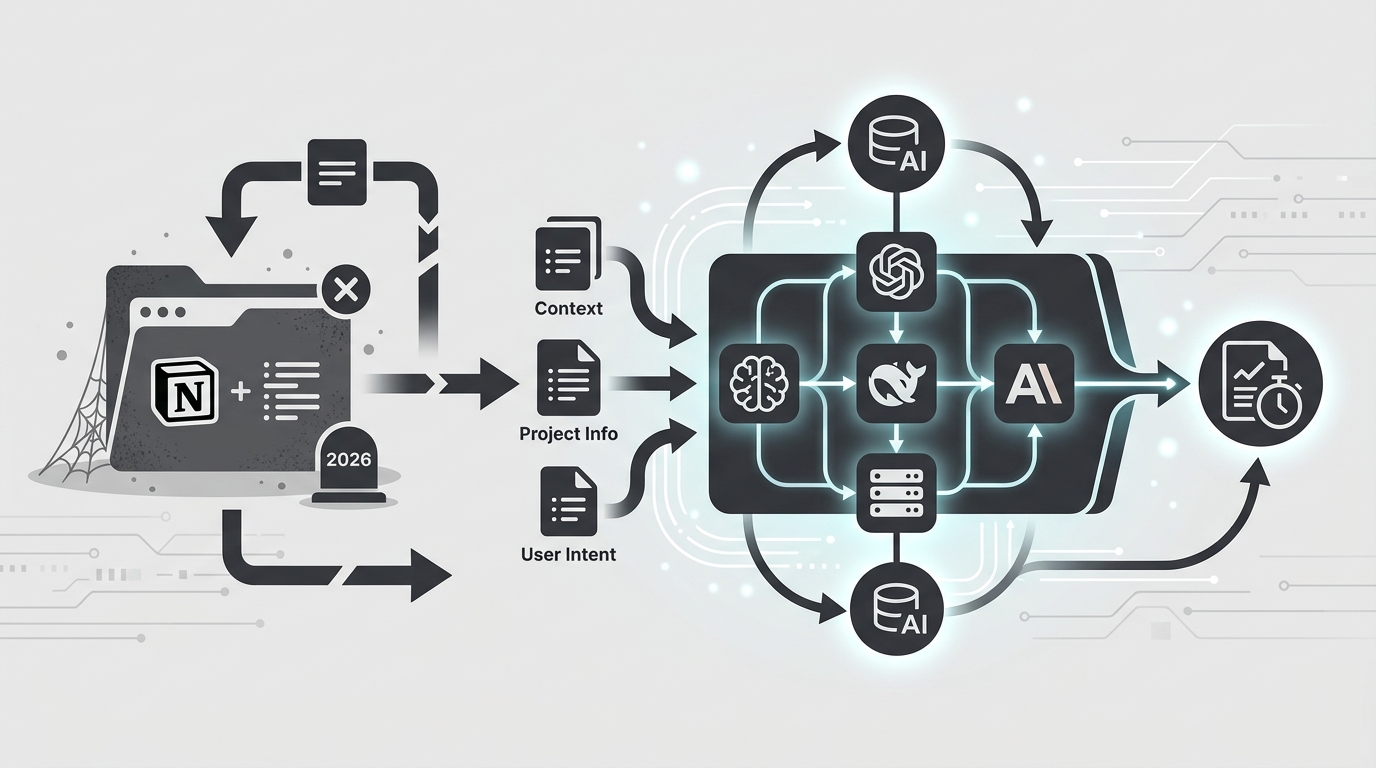
When I consult for Seoul-based startups on building what they call an AI 통합 플랫폼 (AI model aggregation platform), the first thing I tell them is to stop treating AI models like isolated search engines. You need an environment where the history of the task moves with you.
The holy grail of 챗GPT 클로드 동시 사용 (using ChatGPT and Claude simultaneously) isn't about having two tabs open. It's about feeding the structural logic of Claude directly into the formatting engine of ChatGPT without losing the conversational context in the middle.
When you use a unified AI interface that natively supports task history routing, you don't need to save the prompt. You save the thread. You can run a prompt in DeepSeek, realize it's struggling with the creative phrasing, and instantly switch the model to Claude within the exact same context window. The AI remembers what was said; you don't have to copy-paste anything.
The Definitive Gemini vs DeepSeek Comparison for Developers
A lot of my peers have been asking for my raw data on this, which brings me to my highly requested 제미나이 딥시크 비교 (Gemini vs DeepSeek comparison). In April 2026, I ran a benchmark using a real-world freelance task: parsing a 15,000-row CSV of unstructured customer feedback, categorizing the sentiment, and outputting a clean JSON array.
I didn't use synthetic benchmarks. I used my actual client data (anonymized, of course).
| Metric | Gemini 1.5 Pro (May 2026) | DeepSeek V4 |
|---|---|---|
| Context Window Handling | Flawless. Swallowed the entire 15k CSV in one go. | Struggled past 8k rows. Required chunking via API. |
| JSON Formatting Strictness | Failed 2 out of 10 runs (injected markdown blocks). | Perfect 10/10 runs. Zero formatting hallucinations. |
| Logic & Reasoning | Good, but sometimes overly generalized the sentiment. | Incredibly sharp. Caught subtle sarcasm Gemini missed. |
| Cost per 1M Output Tokens | $21.00 | $1.20 (Yes, really) |
Here is my honest verdict: DeepSeek is currently eating Gemini's lunch when it comes to pure logic, coding, and structured data output. However, Gemini's massive context window makes it the undisputed king of "data dumping."
Don't choose between them. I use Gemini to summarize massive documents into a 5-page brief, and then I feed that brief into DeepSeek to write the actual code or structured logic. This plays to both of their strengths.
Trend Jacking: How to Use Grok AI Without Hallucinations
Let's talk about the elephant in the room: Grok. Most professionals dismiss it because of its chaotic launch. But if you are a creator or marketer, ignoring Grok is a massive mistake right now.
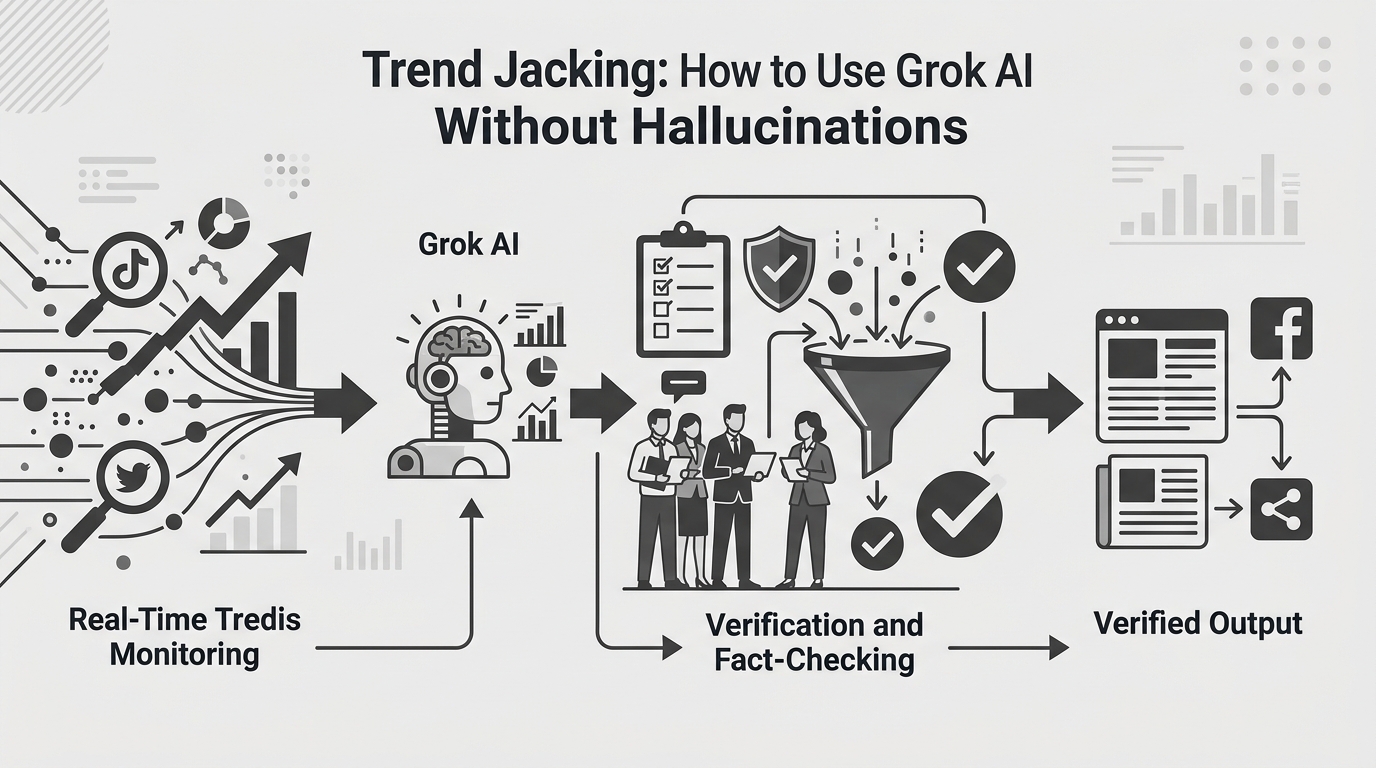
On May 28th, Google rolled out a surprise algorithm update. ChatGPT and Claude had no idea it happened because their training data cutoffs hadn't reached it yet. Gemini was hallucinating generic SEO advice.
Mastering 그록 AI 사용법 (how to use Grok AI effectively) comes down to one thing: treating it as a real-time sentiment analyzer, not an encyclopedia. Grok has direct access to the X (Twitter) firehose. I asked Grok: "Analyze the top 50 posts from SEO engineers in the last 12 hours regarding the Google update. What specific metrics are they saying dropped?"
Within 10 seconds, I had a bulleted list of the exact ranking drops happening globally, allowing me to send an emergency newsletter to my clients before anyone else even understood the update. You cannot do this with Claude. You cannot do this with ChatGPT.
The "Task History" Strategy: True AI Orchestration
So, how do we combine Grok's real-time data, DeepSeek's logic, and Claude's writing ability without losing our minds?
The secret is utilizing the Task History feature found in modern unified dashboards. Here is the exact 3-step workflow that cut my content creation time from 4 hours to 45 minutes:
- The Fact-Gathering Phase (Grok): I open my unified interface and select Grok. I prompt it to pull the latest discussions on a specific tech trend from the last 48 hours. I save this output in the dashboard's task history.
- The Structuring Phase (DeepSeek): Without opening a new tab, I switch the model selector to DeepSeek. I reference the Task History ID from step 1 and prompt: "Take the raw data from the previous turn and structure it into a logical 5-point outline for a technical blog post. Do not write the post, just the outline."
- The Drafting Phase (Claude 3.5): I switch the model to Claude. I point it to the outline in the history and apply my custom voice system prompt. Claude reads the entire lineage—Grok's raw data and DeepSeek's logical structure—and writes a masterpiece.
The Math on Saving AI Subscription Fees
Let's have a very real conversation about money. If you are subscribing to ChatGPT Plus ($20), Claude Pro ($20), Gemini Advanced ($20), and X Premium for Grok ($16), you are burning $76 a month. For a solopreneur, that's nearly $1,000 a year.
This is the ultimate strategy for AI 구독료 절약 (saving on AI subscription fees). You do not need native subscriptions to all of these platforms. You are paying for their UI, not just their intelligence.
By moving to a pay-as-you-go API model or using a unified credit-based aggregator platform, my monthly AI costs dropped from $76 to an average of $14.50. Why? Because I'm only paying for the tokens I actually compute.
- When I need a quick grammar check, I route it to a cheap model (fractions of a cent).
- When I need deep coding logic, I route it to DeepSeek (incredibly cheap).
- I only invoke the expensive GPT-4o or Claude 3.5 Opus models for final, heavy-lifting tasks.
Stop paying flat monthly fees for models you only use twice a week. Route your tasks intelligently based on token cost and model strength.
Frequently Asked Questions
Isn't it complicated to switch between models constantly?
It is if you use their standalone websites. But if you use an aggregation platform with a unified UI, it's literally just a dropdown menu. The context window persists across the switch.
Does DeepSeek really beat ChatGPT for coding?
In my experience as of mid-2026, yes—specifically for Python and React. GPT-4o tends to be overly verbose and sometimes introduces deprecated libraries. DeepSeek's recent V4 update is much more strictly aligned with current documentation.
How do I prevent data leaks when using multiple AIs?
Never paste raw API keys, customer PII (Personally Identifiable Information), or proprietary source code into any AI. Always anonymize your data first. If you use an aggregator, ensure they have a strict zero-data-retention policy with their API partners.
Discussion
I've shared my stack, but the AI landscape changes weekly. I'm curious about your workflows:
- Have you completely ditched your Notion prompt libraries yet?
- What is your go-to model for initial brainstorming vs. final execution?
- Has anyone else noticed Gemini's tendency to hallucinate formatting when handling massive CSVs?
Drop your thoughts in the comments below. Let's figure out this context fragmentation mess together.
Comments
Post a Comment